How to Use the BrickIntel Mortgage Calculator
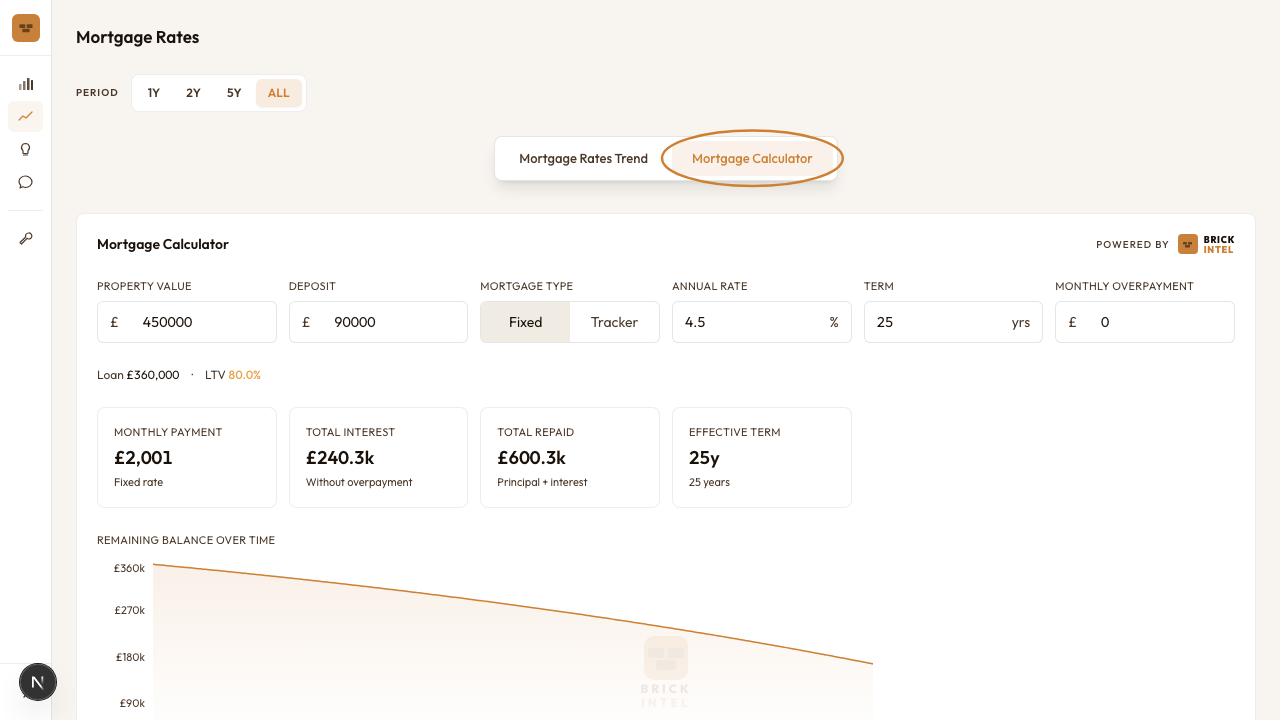
The mortgage calculator is on the Explore page, behind the Mortgage Calculator tab. It sits alongside the Mortgage Rates Trend charts. You can switch between them at any time.
Step 1: Find the calculator
Go to Explore in the left nav, then click Mortgage Calculator in the tab bar at the top of the page.
Step 2: Enter your property details
The calculator has six inputs across a single row. Fill them left to right.
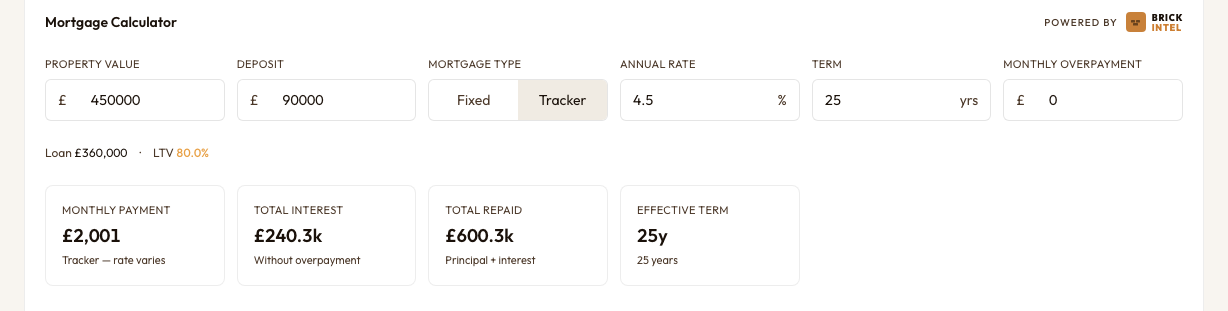
- •Property value: the purchase price, not the mortgage amount.
- •Deposit: the amount you are putting in. The loan amount and loan-to-value ratio calculate automatically below the inputs.
- •Mortgage type: Fixed or Tracker. This affects the label on the monthly payment card. The payment formula is identical for both; it is a reminder about rate stability, not a different calculation.
- •Annual rate: enter the rate your lender has quoted, as a percentage. As of early 2026, the Bank of England average 2-year fixed rate at 75% loan-to-value is 3.97%. The 5-year fixed is 4.01%. The standard variable rate is 4.48%. Figures from the Bank of England Statistical Interactive Database (series IUMBV34, IUMBV42, IUMBV45), February 2026.
- •Term: mortgage length in years. 25 years is the default. Increasing the term lowers your monthly payment and raises total interest paid.
- •Monthly overpayment: leave at 0 for now. We cover this in Step 3.
Worked example: London median flat
- •Property value: £440,000. BrickIntel median London flat, November 2025.
- •Deposit: £88,000 (20%)
- •Loan: £352,000
- •Annual rate: 3.97%. Bank of England 2-year fixed rate at 75% loan-to-value (series IUMBV34), February 2026.
- •Term: 25 years
Step 3: Model an overpayment
Enter a monthly overpayment amount in the last input field. The calculator recalculates instantly.
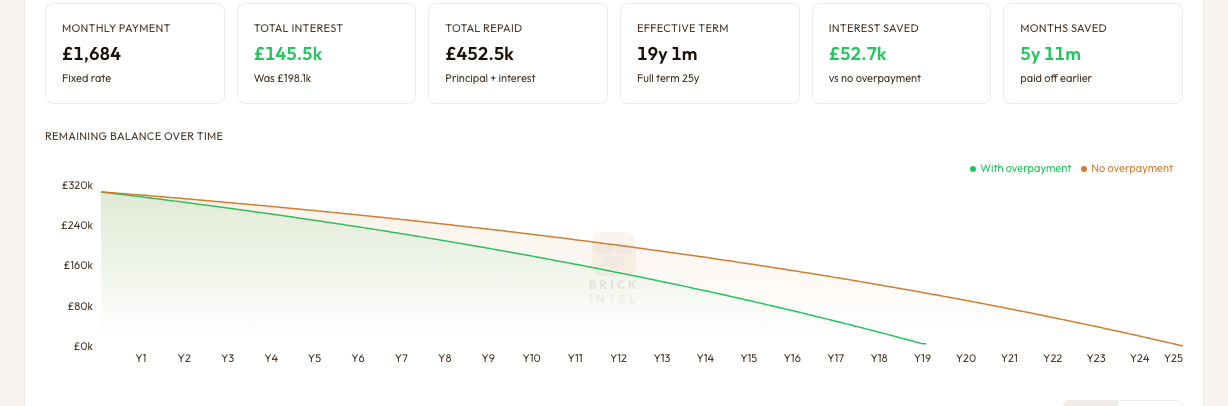
Two new cards appear when you set an overpayment above zero: Interest saved and Months saved. Both show the difference against the no-overpayment baseline. The balance chart adds a second line showing the faster paydown trajectory.
If you want the overpayment to start after a fixed period, use the Overpayment starts after month field that appears below the inputs. Enter 24 to start overpaying from month 25 onward. This is useful if you expect a salary increase or bonus in year two.
Overpayment on the worked example
On our £352,000 mortgage at 3.97% over 25 years, overpaying £300/month saves approximately £49,600 in interest and cuts the term to 19 years 4 months. Most lenders allow overpayments of up to 10% of the outstanding balance per year without penalty. Check your mortgage offer before overpaying.
Step 4: Use the repayment breakdown
Scroll down below the chart to see a full repayment schedule. The default view is yearly. Switch to monthly using the toggle on the right.
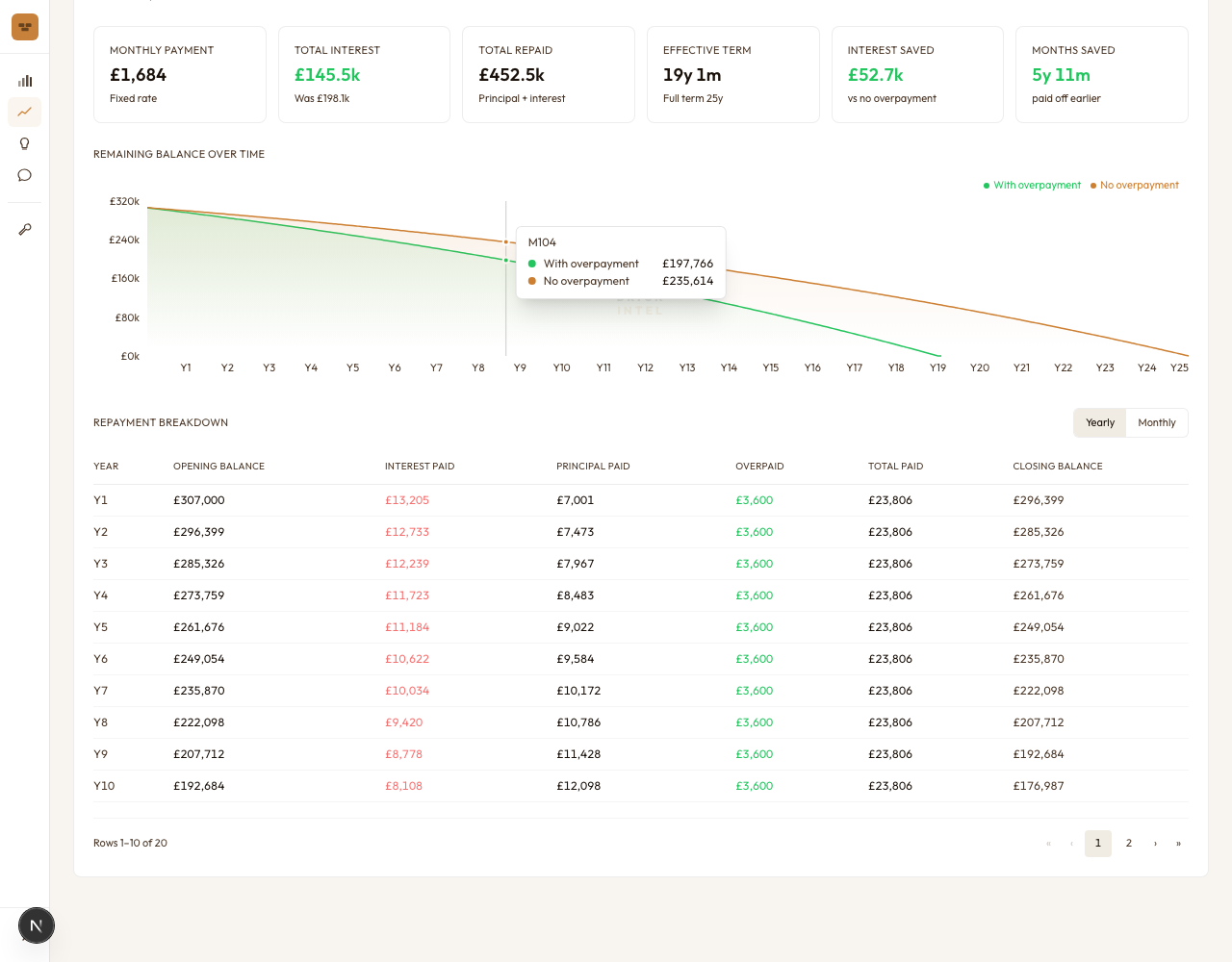
The yearly table gives a quick read on how much interest you pay in total each year and how your balance falls. The monthly table is more granular. The interest column (shown in red) is largest in the early months. The principal column grows as the balance falls. Overpayments show in green in a separate column.
The table is paginated at 10 rows per page. Use the arrows at the bottom to move through the schedule.
Your inputs are saved automatically
If you are signed in, the calculator saves your last inputs to your account. The figures will still be there the next time you visit. If you are not signed in, inputs persist in your browser session only and reset on reload.
Sources
Get the monthly BrickIntel market update — free, no spam.